Novo Navis Intelligence

AI Dispatch for Data Center Electrical Crews: Why Generic Tools Fail

May 15, 2026·Report ID: smb_150526_5886

AI DISPATCH AND SCHEDULING FOR ELECTRICAL CONTRACTORS IN DATA CENTER AND HIGH-DENSITY POWER INFRASTRUCTURE: WHY GENERIC TOOLS FAIL AND WHAT ACTUALLY FITS

The Short Version

If you are running electrical crews on data center builds or high-density power infrastructure, every generic "AI for contractors" article you have read was written for someone else. The plumber scheduling service calls. The HVAC shop dispatching technicians to residential tune-ups. Not you.

Here is what those articles miss: your dispatch problem is not a scheduling problem. It is a physics problem. The state of the building changes every time one of your crews touches something. A panel you de-energize on Monday changes what is safe and feasible on Tuesday. A thermal load that shifts at 2 PM makes the 3 PM task plan wrong. Generic dispatch tools were built assuming the building stays the same while your people work in it. In your world, that assumption fails constantly.

That is the core finding of this report, and it is what explains why , , , , and every tool on those blog post lists will frustrate you in this specific work. They were engineered for decoupled environments. Yours is coupled. That is not a feature gap you can work around. It is a structural mismatch.

Now the conditional guidance up front.

If you run data center electrical work and you are still scheduling with standard critical path method software, this report explains exactly how that tool is generating risk you are not seeing. The logic checks out clearly. The hard numbers comparing outcomes between CPM-scheduled and state-aware-scheduled projects do not exist yet in the public literature, so we will be honest about that.

If you are evaluating Tool A or Tool B because a vendor rep suggested them for your data center accounts, read the section on what those tools cannot do before you sign anything. They handle crew availability and job routing. They do not handle arc-flash certification gating or live-work tier segregation. Those are not missing features on a roadmap. They are outside the design intent of those products.

If you are running both commercial service work and data center or critical infrastructure project work from the same shop, you likely need two separate toolsets. The dispatch mechanics are different enough that one tool will compromise the other.

If you are not yet doing data center work but want to move in that direction, there is a thing to fix before you buy any tool: your crew certification tracking has to be airtight. If you do not know which of your people are current on NFPA 70E arc-flash categories and at what level, no tool will save you. Fix that first.

The honest headline: the right tool for data center electrical dispatch probably does not exist as a single off-the-shelf product for your shop size yet. What does exist, and what this report walks you through, is the correct framework for evaluating what is out there and knowing exactly what you are missing if you compromise.

Where Your Money's Actually Leaking

The financial exposure in data center and high-density power infrastructure electrical work is not where it is in commercial service. It is not in the truck rolling to the wrong address or the technician showing up without the right part. It is in what happens when your crew is on site and the plan stops working.

An hour of unplanned downtime in a data center facility can run $260,000 or more depending on the client. [50] That number does not come from your billing rate. It comes from what your client loses when their systems go offline. You are not liable for all of it, but your contract likely ties your payment terms, retainage release, or liquidated damages clauses to uptime outcomes. That means their downtime becomes your cash flow problem fast.

The specific money leaks look like this.

Live-work window overruns. When your crew works on energized equipment longer than planned, risk accumulates with every hour. If your scheduling tool extended a live-work task by three hours because it did not account for a load-shedding window that closed, you just ran your crew in a higher-risk posture for three hours you did not plan for. That exposure is not captured anywhere on your P&L, but it shows up eventually in incidents, insurance, and contract disputes. Rated MECHANISM. The logic of how extended live-work windows increase exposure is sound. We do not have controlled trial data comparing scheduled outcomes, but the causal direction is well-supported. [70]

Crew certification mismatches. NFPA 70E requires arc-flash retraining at intervals of no more than three years. [76] [79] Your electricians work across multiple arc-flash hazard categories. If your dispatch tool assigns a crew to a Category 2 or higher task and that crew's certification covers Category 3 only, you have a regulatory violation. Your foreman may catch it on site. Or he may not. Most generic dispatch tools do not check this. They see "electrician" and route accordingly. Rated MECHANISM. The regulatory chain is airtight. Whether automated gating reduces actual incidents versus skilled manual verification is not proven in the literature, but the compliance exposure is direct and real. [77] [81]

Schedule collapse from missed operator windows. De-energized work on a data center power system requires a blackout window coordinated with facility operators. If your scheduler does not model those windows, your crew shows up and the window is closed. That is a day of labor, truck time, and subcontractor coordination down the drain. Rated CORRELATED. Operator windows are a real constraint, but we do not have data showing how often they are the primary cause of delays versus other factors like crew availability or equipment lead times. They matter. How much they matter relative to other things is not yet measured. [33] [38]

Rework from thermal constraint violations. High-density power equipment runs hot. If a crew finishes work on one PDU bank and your schedule moves them immediately to the adjacent bank without accounting for thermal state, you may be putting them on equipment that is at 95 percent of thermal capacity and climbing. Work that forces additional load onto that equipment risks a thermal shutdown. A thermal shutdown is a downtime event. Rated THRESHOLD. The physics are real. The mechanism is plausible. But we found no empirical data comparing thermal-aware scheduling outcomes to standard scheduling outcomes. This is a logical risk that the industry acknowledges but has not yet quantified rigorously in public research. [29]

Your own hours. If you are the one calling facility managers at 9 PM to ask when the next maintenance window opens, manually checking certification binders before each data center mobilization, and rebuilding the schedule in your head every time something changes on site, that is real time with a real cost. None of the generic tools solve this for you. The specialized tools that might solve it are not yet purpose-built for an electrical contractor at the 20- to 100-person shop level.

Why The AI Tool Blogs Don't Fit Your Situation

The articles ranking the top AI dispatch tools for electrical contractors are almost entirely written about residential and light commercial service work. They describe a problem that looks like this: a customer calls, someone needs to be dispatched, availability needs to be matched to location, and the invoice needs to get sent. That is a legitimate problem. It is not your problem.

Here is what the generic advice assumes that is not true for you.

It assumes your work environment stays the same while you are working. Tool A, Tool B, and are designed around a model where the job site is static. You arrive, you do the work, you leave. [1] [2] In a data center, every task your crew completes changes the constraints on the next task. You de-energize a circuit and the load shifts somewhere else. That shifted load may make your next planned task infeasible or higher risk. Generic tools have no mechanism to detect this and recompute. Rated MECHANISM. [Education_3 domain analysis]

It assumes any licensed electrician can be dispatched to any electrical job. Tools like Tool B and Tool H have crew skill matching. [89] They can route someone with "electrical" skills to an electrical job. They cannot route someone with arc-flash Category 2 certification, current as of last month, who has also completed the site-specific safety orientation for that facility, to a live-work task rated at Category 2. The field is too narrow for their data model. Rated MECHANISM. [79] [81]

It assumes you control your own schedule. In commercial service work, you largely do. In data center infrastructure work, your schedule is partially owned by the facility operator. Maintenance windows, blackout calendars, and operator approval chains govern when certain work can happen. Generic tools have no concept of external schedule ownership. They assume you can move tasks freely. You cannot. Rated CORRELATED.

It assumes construction project tools and service dispatch tools cover the space between them. They do not. Tool E and similar construction management platforms handle project phase scheduling. [33] [34] Tool A handles service dispatch. The data center electrical contractor lives between those two modes simultaneously, doing project-phase work that has real-time operational constraints the construction tools ignore and safety-critical compliance requirements the service tools do not model. Neither category was built for where you actually work.

Which Tools Fit And Why

Start with what the evidence actually supports, and what it does not.

The vendors that dominate the generic dispatch and scheduling space for electrical contractors are Tool A, Tool B, Tool C, and for service-side work, and Tool E, , and on the construction side. [1] [2] [33] [34] [40] [87] None of them were designed for the causal mechanics of live data center power work. Here is what that means in practice for each category.

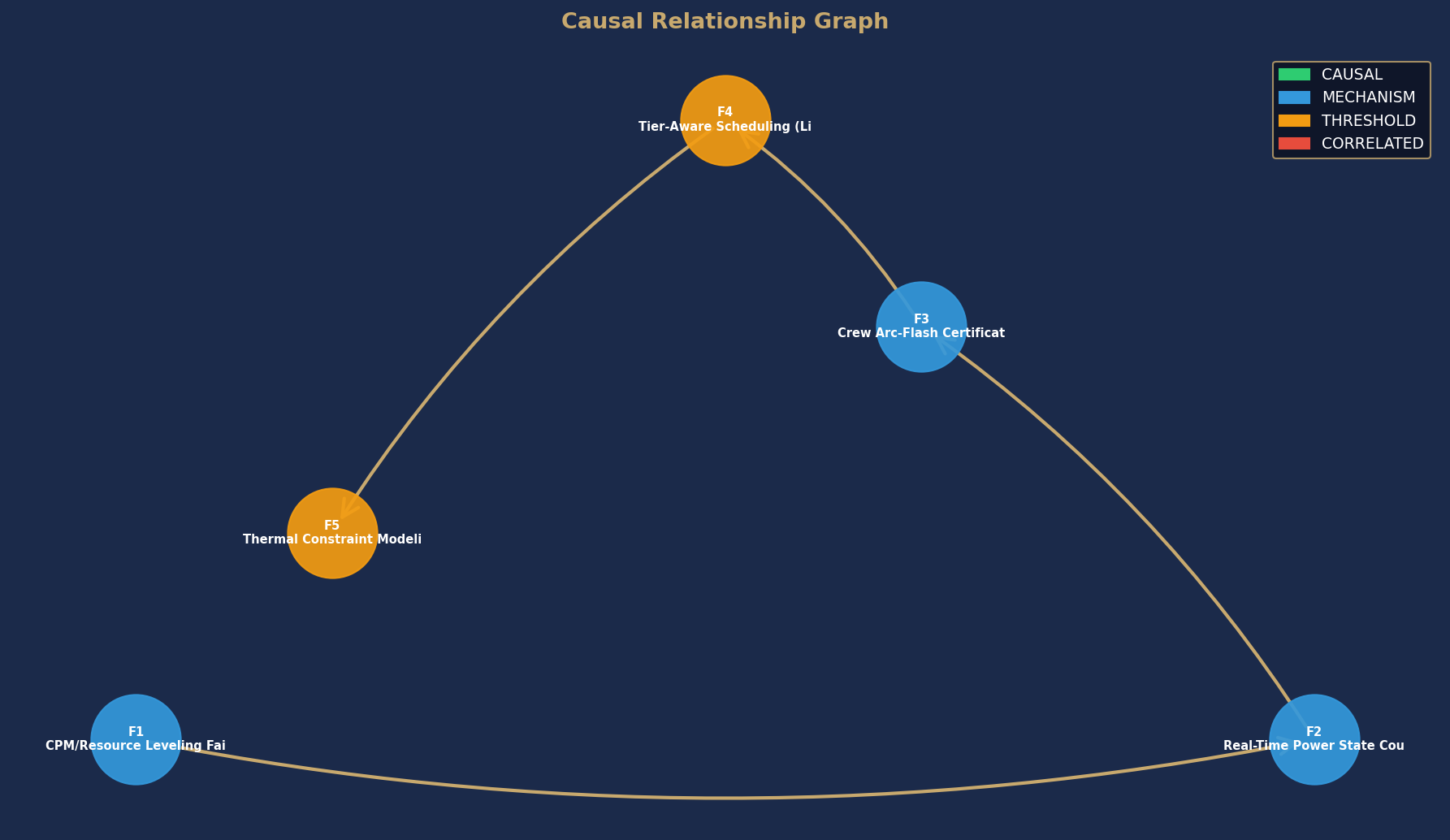
Causal Relationship Graph

Causal DAG

Node colors indicate causal confidence rating. Arrows show directional causal relationships identified in this analysis.

Unlock Full Report — $29

Full report PDF emailed to you immediately after purchase.

© 2026 Novo Navis, LLC · Fidelis Diligentia

Privacy Policy · Terms and Conditions · FAQ · About

This report is published for general informational purposes only and does not constitute financial, legal, or technology procurement advice.

Ask us anything!